

Snippets
Snippets let you store frequently used text and insert it anywhere on your computer with just a few keystrokes. Whether it's email templates, code blocks, addresses, or emoji sequences, Snippets save you from typing the same things over and over. In v2, Snippets gain support for tagging and a new {calculator} dynamic placeholder.
Open Snippets by searching for "Search Snippets" or "Create Snippet" in Root Search, or assign a hotkey for instant access.
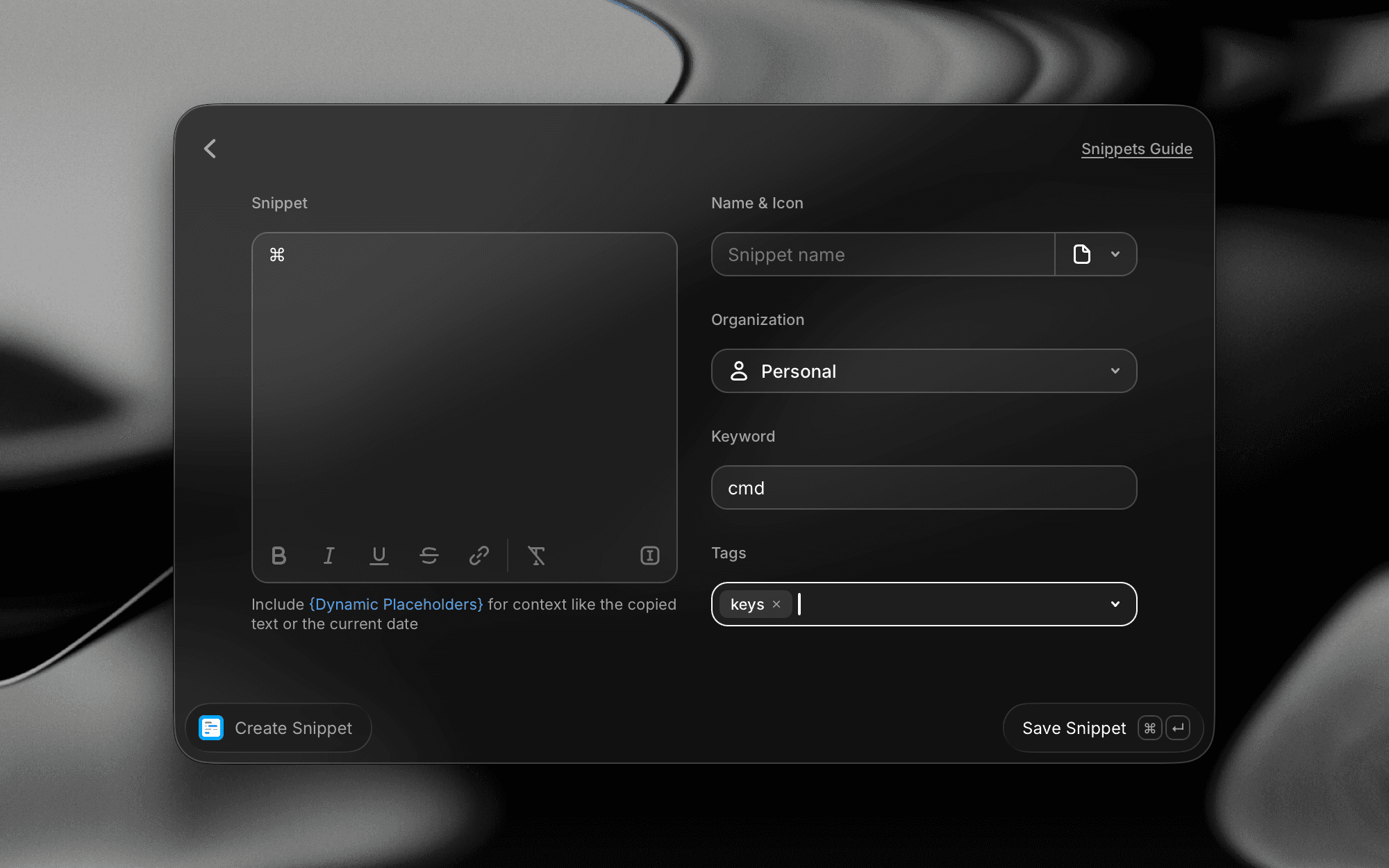
Creating a Snippet
To create a new Snippet:
- Open Raycast and search for Create Snippet
- Enter the text you want to save in the Snippet Text field. This can be plain text, formatted content, code, or any text you type repeatedly.
- Give your Snippet a Name so you can find it later.
- Optionally assign a Keyword to enable auto-expansion (see below).
- Optionally add Tags to organize your Snippets into groups.
- If you're in a Raycast team, choose an Organization to decide whether the Snippet is personal or shared with your organization.
Snippet text has a maximum length of 65K characters. This limit exists for performance reasons — in practice, most Snippets are well within this range.
Keywords & Auto-Expansion
Keywords are the real power behind Snippets. When you assign a keyword to a Snippet, typing that keyword in any application automatically replaces it with the full Snippet text. This works everywhere: in your browser, code editor, email client, chat apps, and more.
How Auto-Expansion Works
- Assign a keyword to your Snippet (e.g.,
!email,;;addr,/sig) - Type the keyword in any text field on your computer
- Raycast automatically replaces the keyword with your Snippet text
Choose keywords that are unlikely to be typed accidentally. Prefixes like !, ;;, or // work well. For example, !thanks is safer than just thanks.
Auto-Expansion Settings
You can enable or disable auto-expansion globally in Settings → Snippets. When disabled, Snippets still work — you just need to search for them in Raycast and paste manually instead of using keyword triggers.
Keyword Character Reference
Not all characters can be used in keywords. Raycast uses certain characters as word-boundary delimiters, which means they will trigger expansion rather than become part of the keyword itself.
Characters that cannot be used in keywords:
- Backtick:
` - Quotation marks: single quote
', double quote", and their curly/smart variants' ' " " - Whitespace: spaces, tabs, and newlines
- Other delimiters: some additional punctuation characters act as word boundaries and will trigger expansion instead of being included in the keyword
Characters that can be used in keywords:
- Letters: all Unicode letters (Latin, Cyrillic, CJK, etc.)
- Numbers:
0–9 - Hyphen & underscore:
-and_ - Math symbols: such as
+ = < > - Currency symbols:
$ € £ ¥and others - Most punctuation: including
! ; / . , @ # ~ &(except the restricted characters listed above)
Keywords like !email, ;;addr, /sig, and $price are all valid. Keywords like my email (contains a space) or it's (contains an apostrophe) are not, because the space and quote act as delimiters.
Searching & Managing Snippets
The Search Snippets command gives you a central view of all your Snippets. From here you can:
- Search by name, keyword, or content
- Filter by tag to quickly narrow down your collection
- Copy a Snippet to your clipboard
- Paste a Snippet directly into the active application
- Pin frequently used Snippets to the top of the list
- Edit, duplicate, or delete Snippets
Dynamic Placeholders
Snippets support Dynamic Placeholders — arguments that are replaced with dynamic data when the snippet is expanded. This lets you create context-aware Snippets that adapt every time you use them.
Tags
New Snippets now support tagging. Tags let you organize your Snippets into logical groups — for example, by project, language, client, or purpose. You can assign one or more tags when creating or editing a Snippet, and then filter by tag in the Search Snippets view to quickly find what you need.
To add a tag:
- Open the Snippet editor (create a new Snippet or edit an existing one)
- Use the Tags field to assign one or more tags
- Type a new tag name to create it, or select from existing tags
In the Search Snippets view, use the tag filter dropdown to show only Snippets with a specific tag. This makes it easy to manage large Snippet collections.
Shared Snippets (Teams)
With Raycast for Teams, you can create shared Snippets that are available to everyone on your team. This is ideal for maintaining consistent messaging: support responses, company boilerplate, onboarding templates, and more.
Shared Snippets are managed from the same Search Snippets interface. They appear alongside your personal Snippets and can be filtered separately. Team admins can manage shared Snippets from the Raycast Teams dashboard.
Importing Snippets
You can bring existing Snippets into Raycast from a file or from another text expansion tool. To import:
- Open Raycast and run the Import Snippets command
- Select your file
- Review the Snippets to be imported, then confirm
Supported File Format (JSON)
Raycast imports Snippets from a JSON file containing an array of snippet objects. Each object supports:
name(required) — the Snippet's titletext(required) — the content that gets insertedkeyword(optional) — the trigger that expands the Snippet
Example:
[
  {
    "name": "Personal Email",
    "text": "sherlock@gmail.com",
    "keyword": "@@"
  },
  {
    "name": "Home Address",
    "text": "221B Baker St., London"
  },
  {
    "name": "Catchphrase",
    "text": "Elementary, my dear Watson",
    "keyword": "!elementary"
  }
]
Save the file with a .json extension. If your file is greyed out and can't be selected in the import dialog, it isn't in a format Raycast recognizes — convert it to the JSON structure above.
Importing from Other Tools
Raycast can also import from other text expansion tools such as TextExpander, aText, Espanso, and PhraseExpress. Export your Snippets from those apps, then select the exported file in Import Snippets.
Use Cases & Examples
Here are some practical ways to use Snippets:
- Email signatures: Keyword
!sigexpands to your full signature with name, title, and contact info - Meeting notes template: Keyword
!notesexpands to a structured template with{date}and{cursor}placeholders - Code snippets: Keyword
;;logexpands toconsole.log({cursor}) - Support replies: Tag your customer support responses and quickly filter by client or issue type
- Emoji combos: Keyword
!shrugexpands to¯\_(ツ)_/¯
Looking for more ideas? Browse ray.so/snippets for a curated collection of ready-to-use snippets to get you started.
Settings
Open Settings (⌘ ,) and select Snippets from the sidebar to configure how Snippets expand. Use the toggle in the top-right corner to enable or disable the Snippets feature entirely.
Snippet Expansion
- Enable Snippet Expansion: Master toggle for automatic keyword expansion. Turn it off if you want to keep your Snippets library but stop them from auto-expanding as you type.
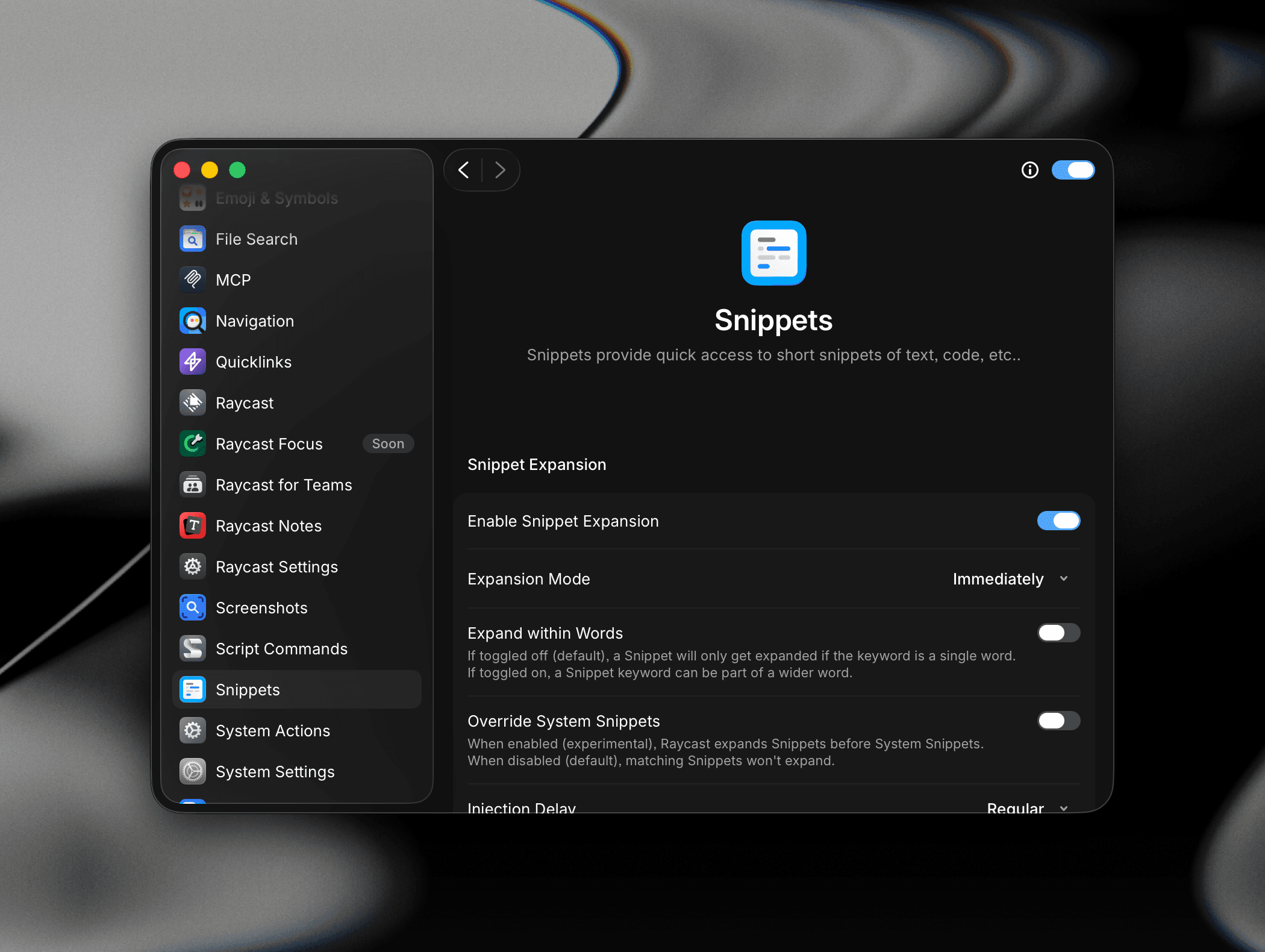
- Expansion Mode: Choose when a Snippet expands after you type its keyword:
- Immediately: Inserts the text as soon as the keyword is matched.
- After Delimiter (keeping): Waits until you type a delimiter (e.g. space, punctuation), then expands and keeps the delimiter.
- After Delimiter (discarding): Waits for a delimiter, then expands and discards the delimiter from the output.
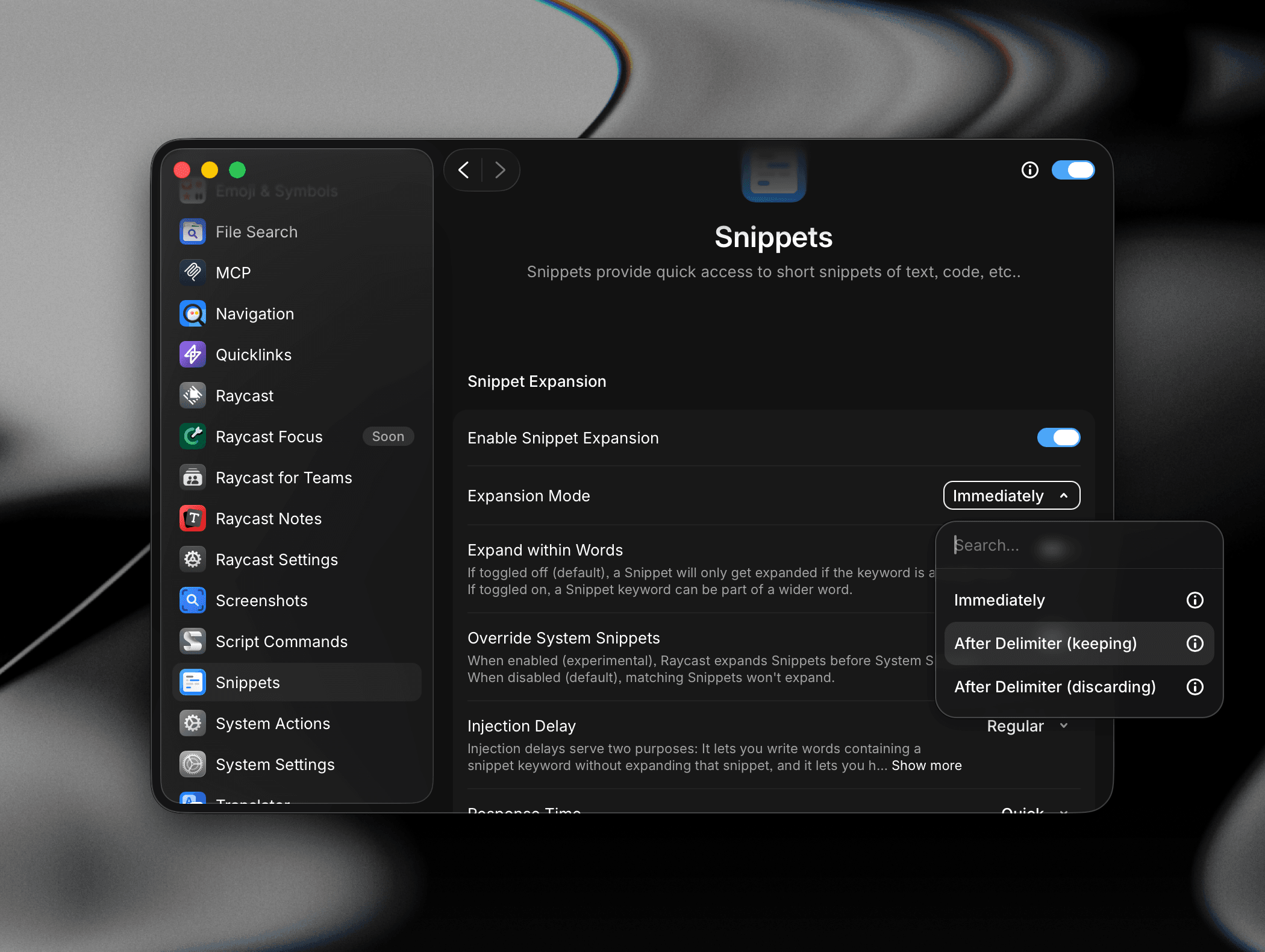
- Expand within Words: When toggled off, a Snippet only expands when its keyword is typed as a standalone word. Turn it on if you want keywords to also expand when they appear inside a larger word.
- Override System Snippets: When enabled (experimental), Raycast expands its Snippets before macOS's built-in System Snippets. When disabled, Raycast skips expansion for keywords that conflict with system ones to avoid double insertion.
- Injection Delay: Adds a delay before Raycast types the expanded text. This lets you type words that happen to contain a Snippet keyword without triggering expansion, and gives slower apps time to receive the input correctly. Options range from None and Short through Regular, Long, and Extra Long. Increase the delay if expansion is unreliable in specific apps.
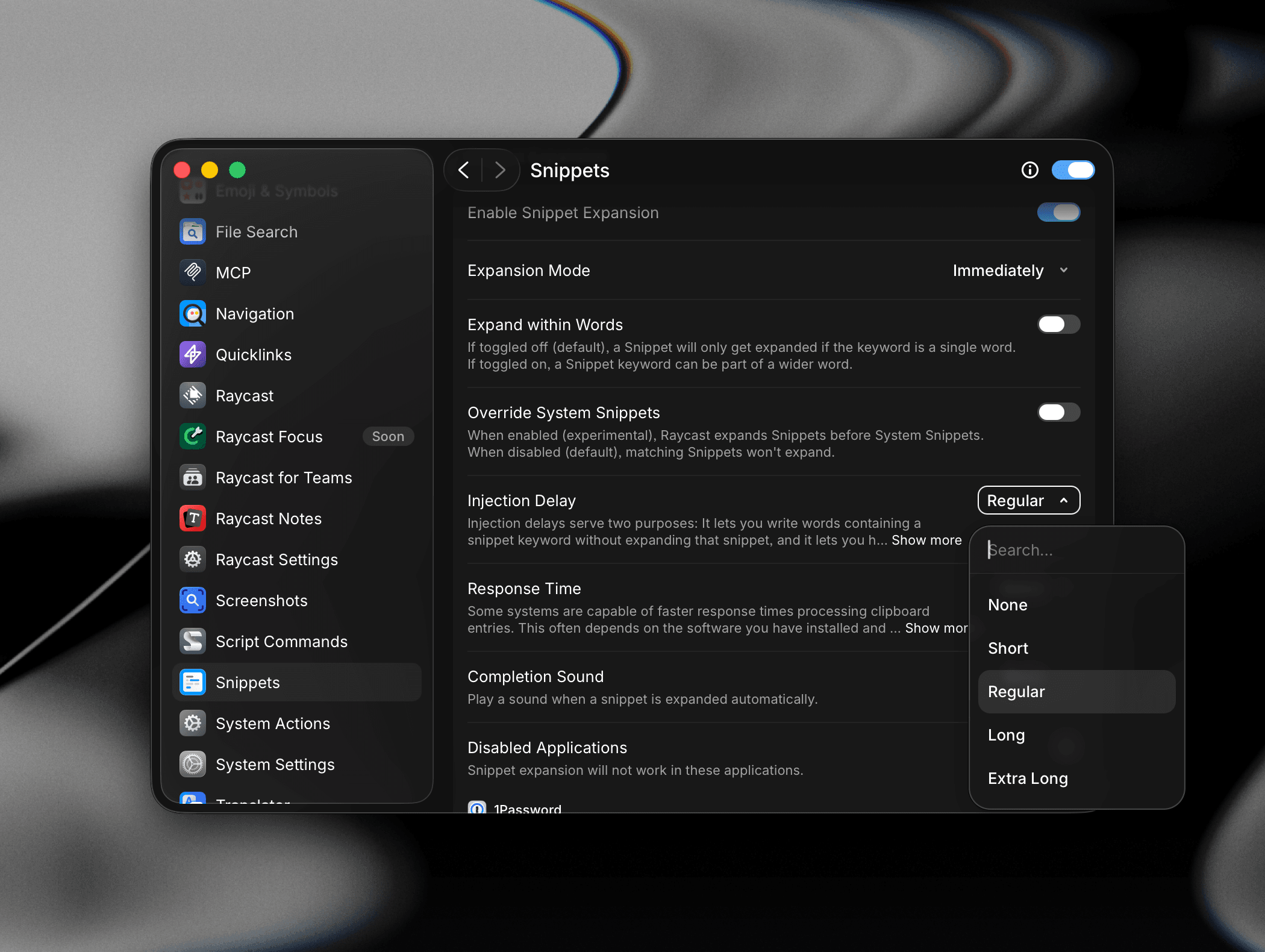
- Response Time: Controls how quickly Raycast processes clipboard entries during expansion. Options range from Instant and Quick through Default, Delayed, and Extended. Try a slower setting if you notice missing characters or partial expansion in specific applications.
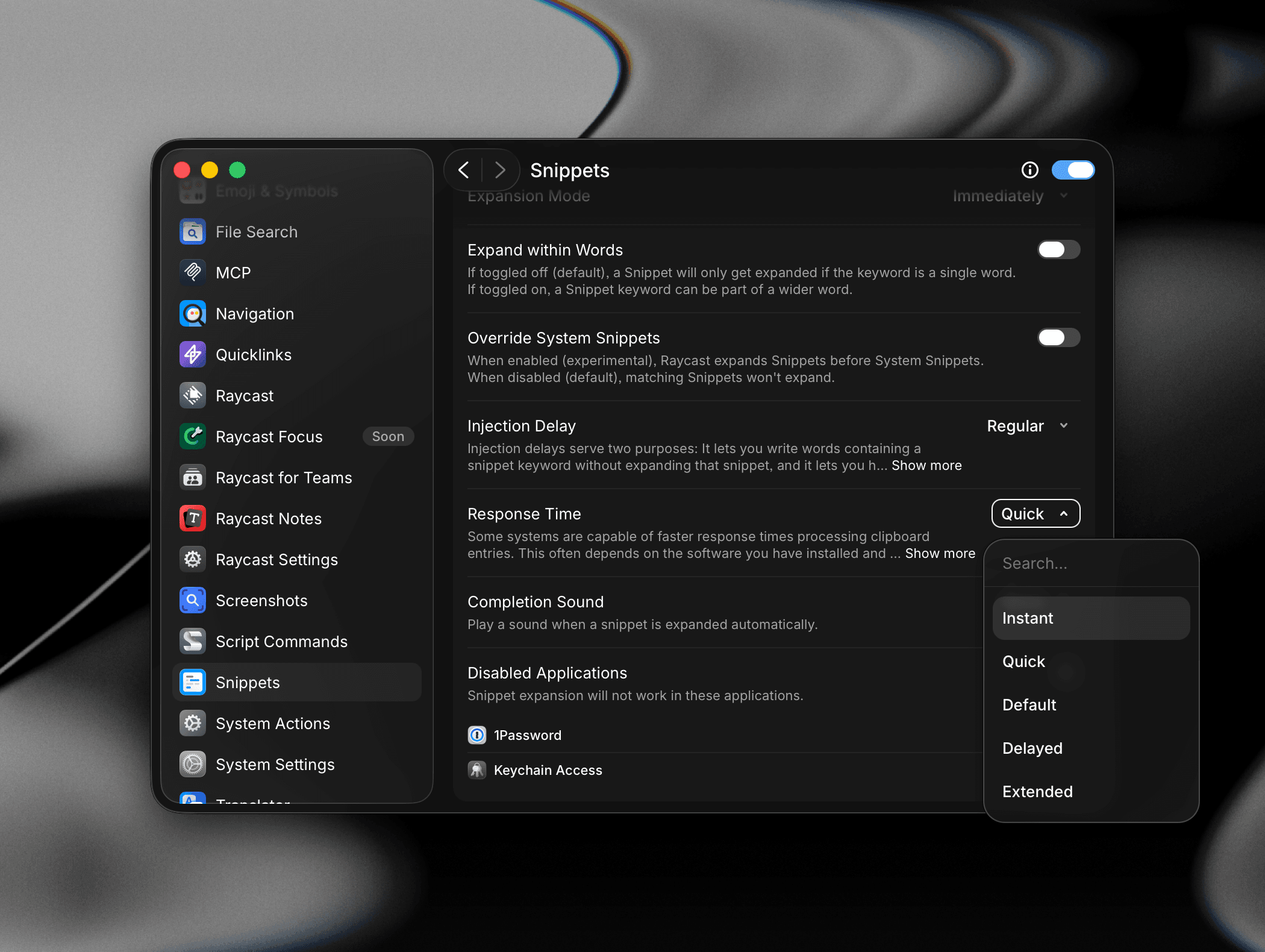
- Completion Sound: Optionally play a sound whenever a Snippet is expanded automatically. Useful as a confirmation cue, especially when using longer Snippets or dynamic placeholders like
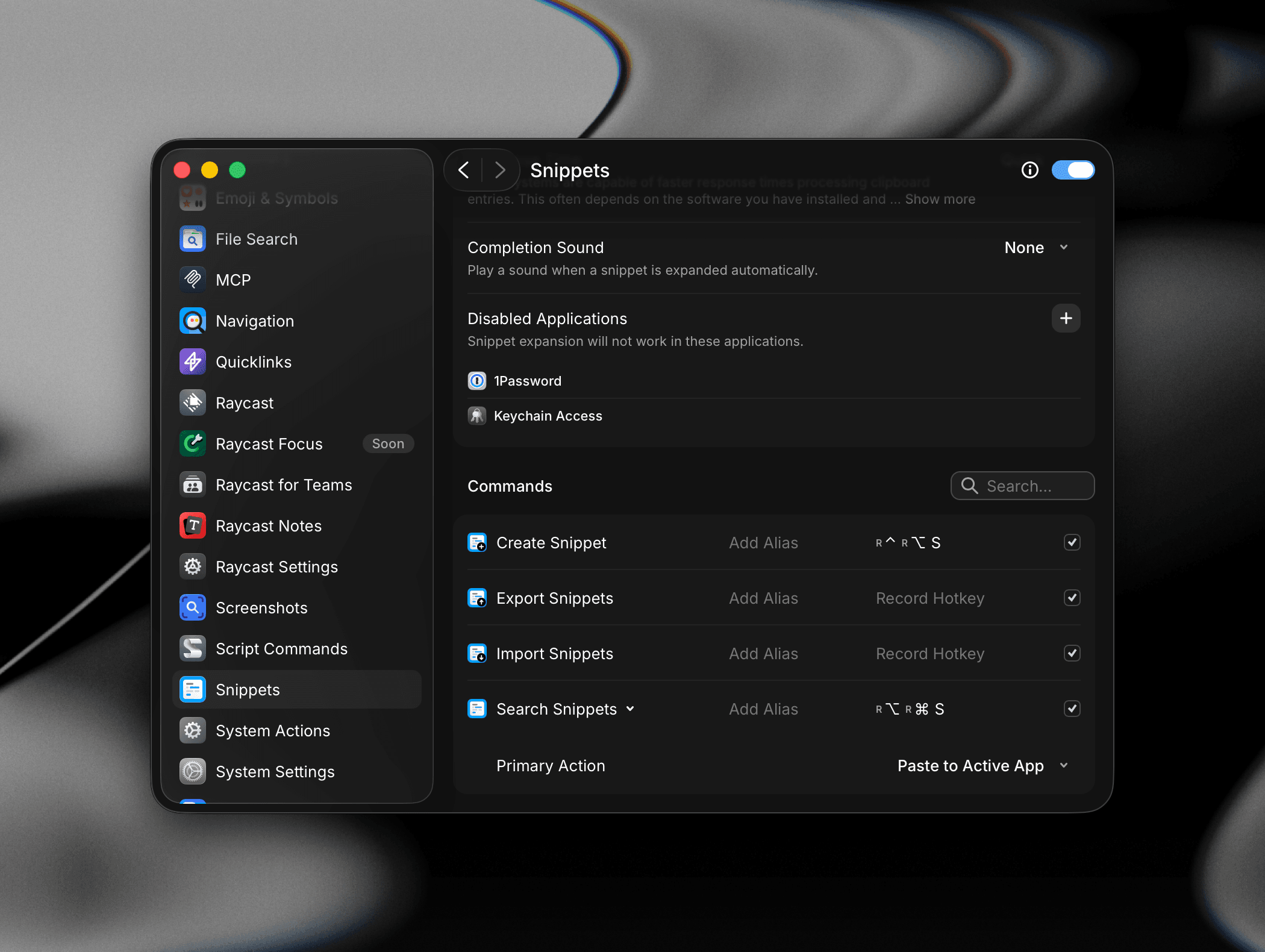
{clipboard}and{date}. - Disabled Applications: Add applications where Snippet expansion should never run. 1Password and Keychain Access are included to prevent accidental expansion inside password fields. Click the + button to add more.
Commands
Assign aliases and hotkeys to the Snippet commands you use most:
- Create Snippet: Open the Snippet editor
- Export Snippets: Save your Snippets to a file for backup or sharing
- Import Snippets: Import Snippets from a JSON file, TextExpander, aText, Espanso, or PhraseExpress
- Search Snippets: Find and insert a Snippet from the list
Set the Primary Action for Search Snippets (e.g. Paste to Active App or Copy to Clipboard) to match how you most often use your library.
Troubleshooting
If Snippets aren't working as expected, here are some common issues and steps to resolve them.