

SCIM Provisioning
Some Teams features are available in Raycast for Mac V2 and Windows, with full support coming in future updates. Raycast V1 and iOS remain unchanged.
SCIM (System for Cross-domain Identity Management) allows you to automatically provision and deprovision Raycast user accounts from your identity provider. This ensures that when employees join or leave your organization, their Raycast access is updated automatically.
Supported operations:
- Create Users: Automatically create Raycast accounts when users are assigned in your IdP
- Update Users: Sync profile changes from your IdP to Raycast
- Deactivate Users: Automatically remove Raycast access when users are unassigned
Provision with Okta
- In the Application General tab → App Settings press Edit and select SCIM for Provisioning
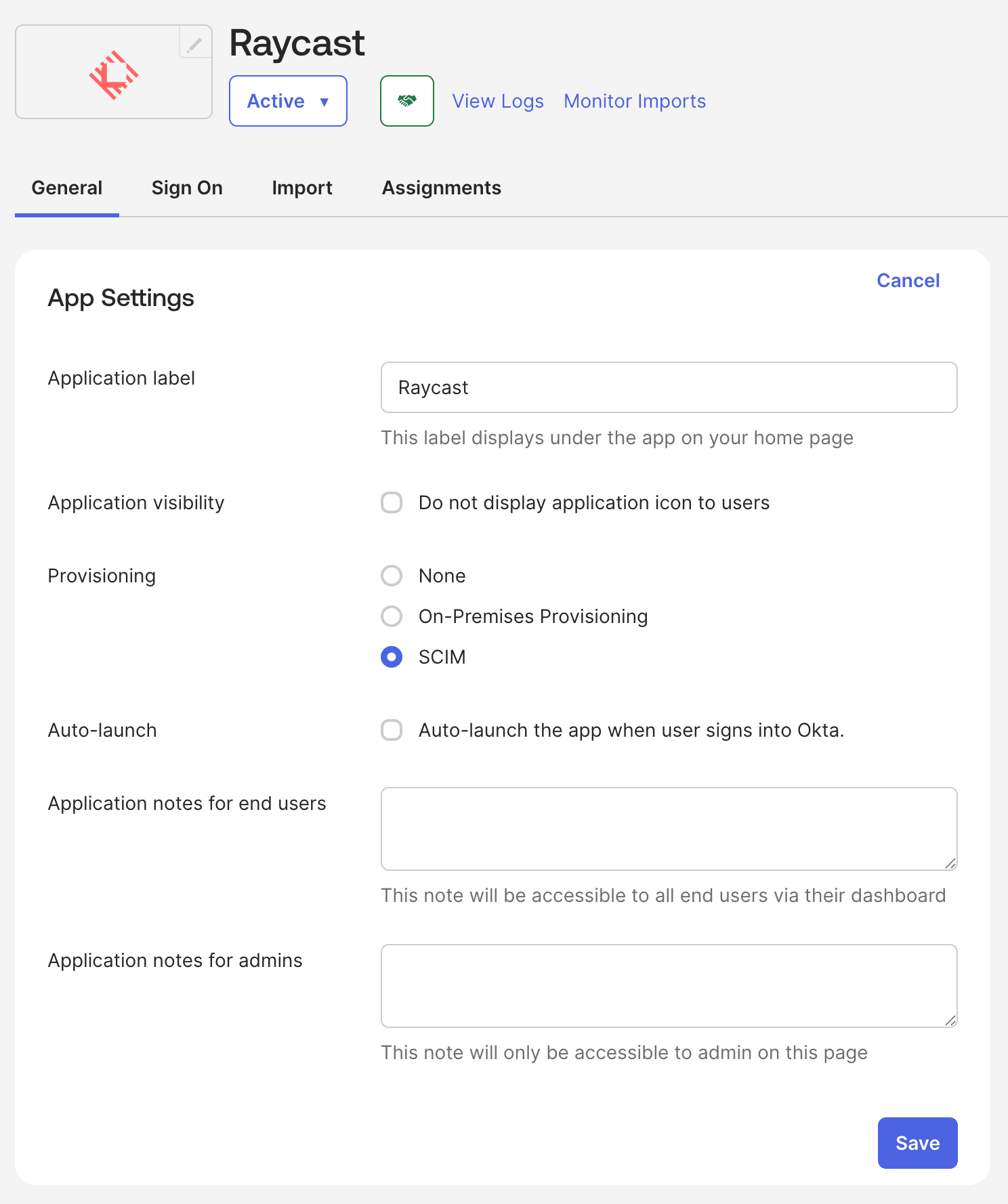
- Press Save
- Navigate to the Provisioning tab and press Edit
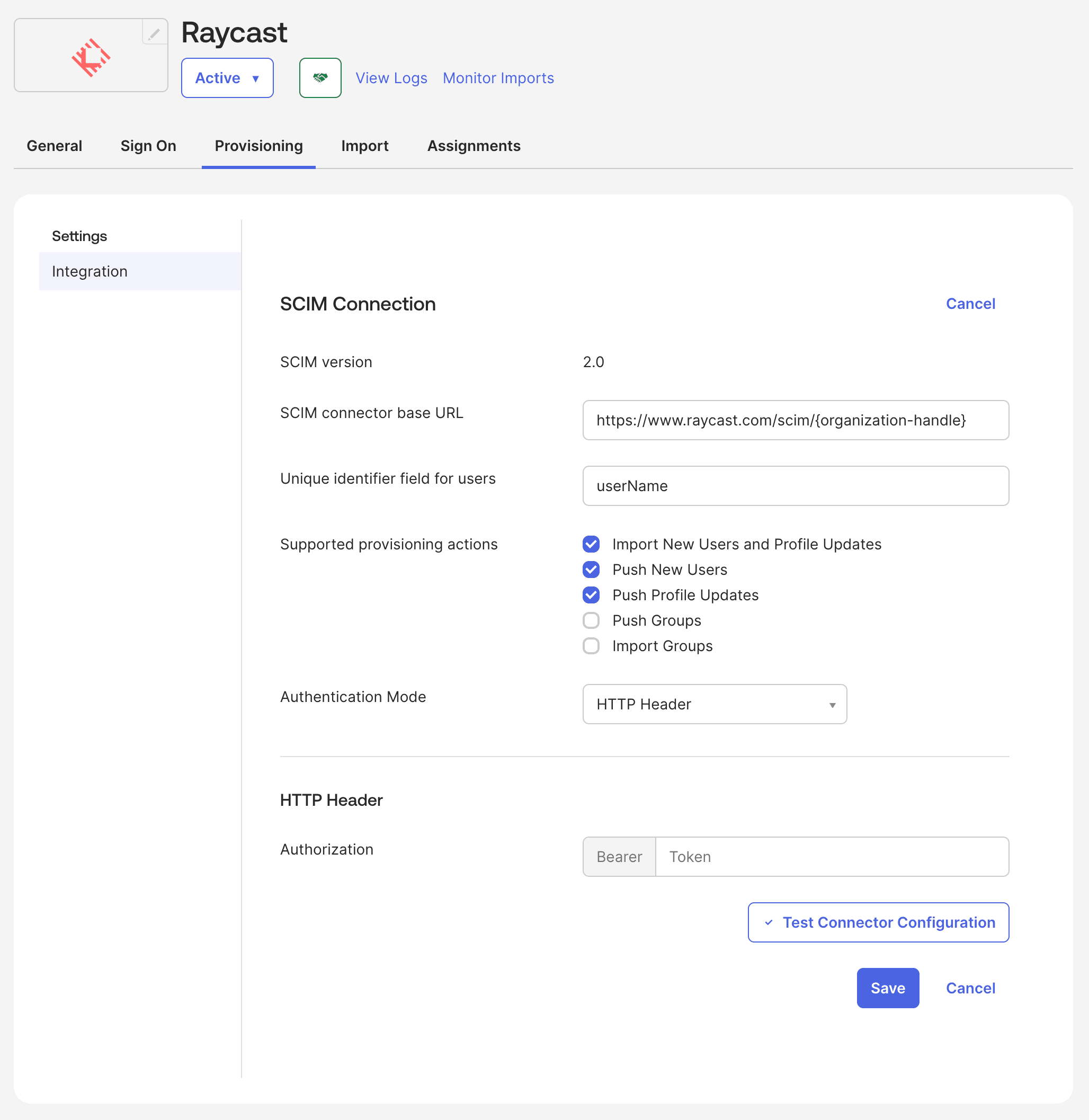
- Fill out the SCIM Connection settings
- SCIM connector base URL:
https://www.raycast.com/scim/{organization-handle} - Unique identifier field for users:
userName - Supported provisioning actions: Select the first 3 items
- Authentication Mode:
HTTP Header - Authorization: Paste the SCIM Token that Raycast shared with you through 1Password
- SCIM connector base URL:
- On the To App section, select the first three checkboxes: Create Users, Update User Attributes and Deactivate Users
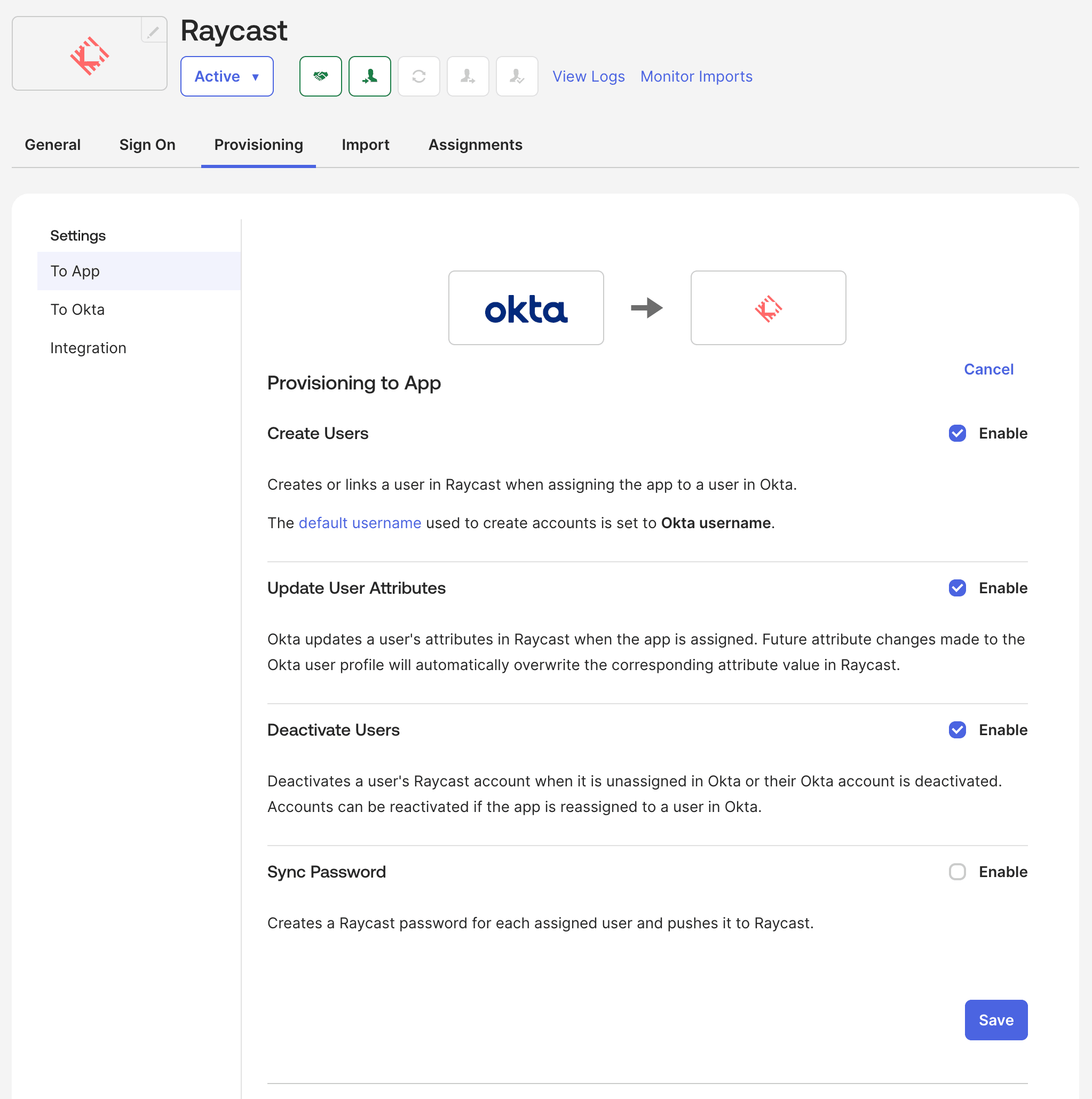
- Press Save
- Assign the Application to users to ensure their accounts are created in Raycast