

Custom Provider Configuration
Support for Enterprise features in Raycast for Windows has not yet been added. Contact us if you require these features in your organization.
Connect Raycast directly with any OpenAI API compatible provider by uploading a custom providers.yaml file to configure organization-wide AI provider settings. When configured, this file overrides any local provider file set by members.
When configured:
- Your custom providers and models become available to every organization member
- Members cannot add their own local
providers.yaml, and any existing local file is ignored - Members can still use models from any provider enabled in the AI Provider Allow-List
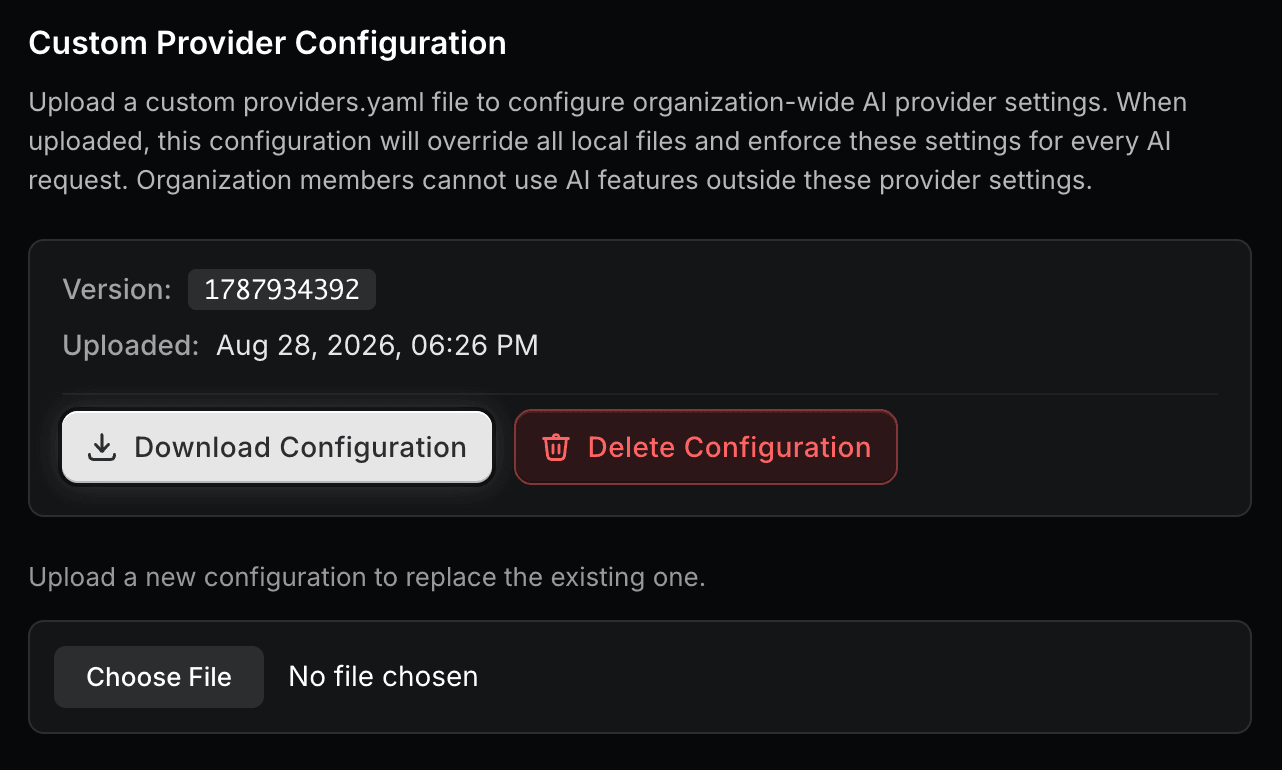
- The uploaded configuration displays version, checksum, and last updated timestamp for auditing
- Managers can upload a new file at any time to replace the existing configuration, or deploy it from CI
Custom Provider Configuration does not disable Raycast's built-in AI providers. To restrict members to your custom providers only, uncheck every provider in the AI Provider Allow-List.
Configure Custom Provider
- Download or copy the template
.yamlfile below
providers:
  - id: openai
    name: OpenAI
    base_url: https://api.openai.com/v1
    # Specify at least one api key if authentication is required.
    # Optional if authentication is not required or is provided elsewhere.
    # If individual models require separate api keys, then specify a separate `key` for each model's `provider`
    api_keys:
      openai: OPENAI_API_KEY
    # Optional additional parameters sent to the `/chat/completions` endpoint
    additional_parameters:
      return_images: true
      web_search_options:
        search_context_size: medium
    # Specify all models to use with the current provider
    models:
      - id: gpt-4o # `id` must match the identifier used by the provider
        name: GPT-4o # name visible in Raycast
        provider: openai # Only required if mapping to a specific api key
        description: OpenAI GPT-4o model for general-purpose queries # optional
        context: 200000 # refer to provider's API documentation
        # Optional abilities - all child properties are also optional.
        # If you specify abilities incorrectly the model may fail to work as expected in Raycast AI.
        # Refer to provider's API documentation for model abilities.
        abilities:
          temperature:
            supported: true
          vision:
            supported: true
          system_message:
            supported: true
          tools:
            supported: false
          reasoning_effort:
            supported: false
      - id: gpt-4o-mini
        name: "GPT-4o-mini"
        context: 200000
        provider: openai # matches "openai" in api_keys
        abilities:
          temperature:
            supported: true
          vision:
            supported: true
          system_message:
            supported: true
          tools:
            supported: true
  # provider with multiple api keys
  - id: my_provider
    name: My Provider
    base_url: http://localhost:4000
    api_keys:
      perplexity: PERPLEXITY_API_KEY
      anthropic: ANTHROPIC_API_KEY
    models:
      - id: sonar
        name: "Sonar"
        context: 128000
        provider: perplexity # matches "perplexity" in api_keys
        abilities:
          temperature:
            supported: true
          vision:
            supported: true
          system_message:
            supported: true
          tools:
            supported: true
      - id: claude-sonnet-4
        name: "Claude Sonnet 4"
        context: 200000
        provider: anthropic # matches "anthropic" in api_keys
        abilities:
          temperature:
            supported: true
          vision:
            supported: true
          system_message:
            supported: true
          tools:
            supported: true
  - id: litellm
    name: LiteLLM
    base_url: http://localhost:4000
    # No `api_keys` - authentication is provided by the LiteLLM config
    models:
      - id: anthropic/claude-sonnet-4-20250514
        name: "Claude Sonnet 4"
        context: 200000
        abilities:
          temperature:
            supported: true
          vision:
            supported: true
          system_message:
            supported: true
          tools:
supported: true- Replace the providers
id,name,base_url, andapi_keyvalues with your own - For each provider, specify a list of models along with their model abilities
- In Raycast Account Settings, navigate to Organization → AI Control Center
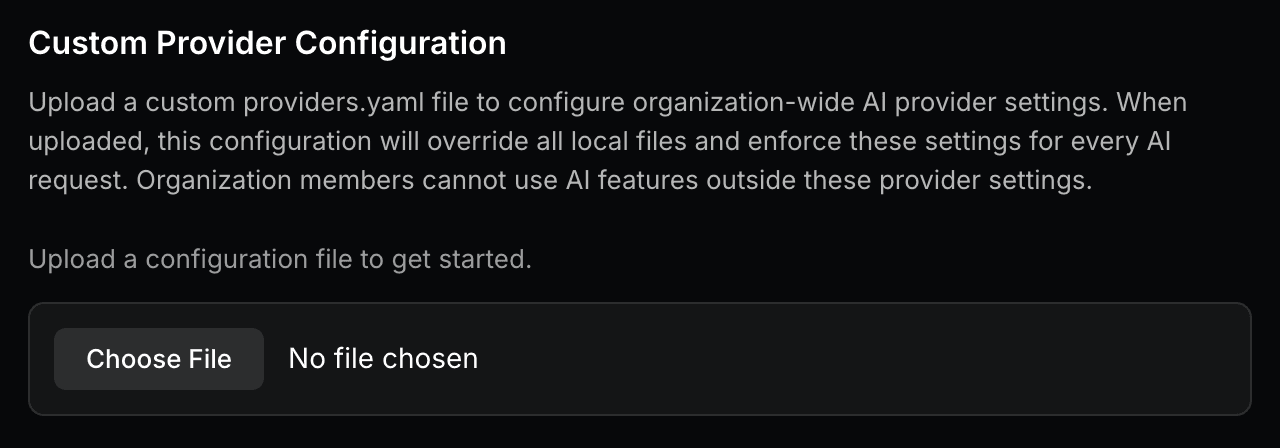
- Below Custom Provider Configuration, click Choose File and select your
.yamlfile
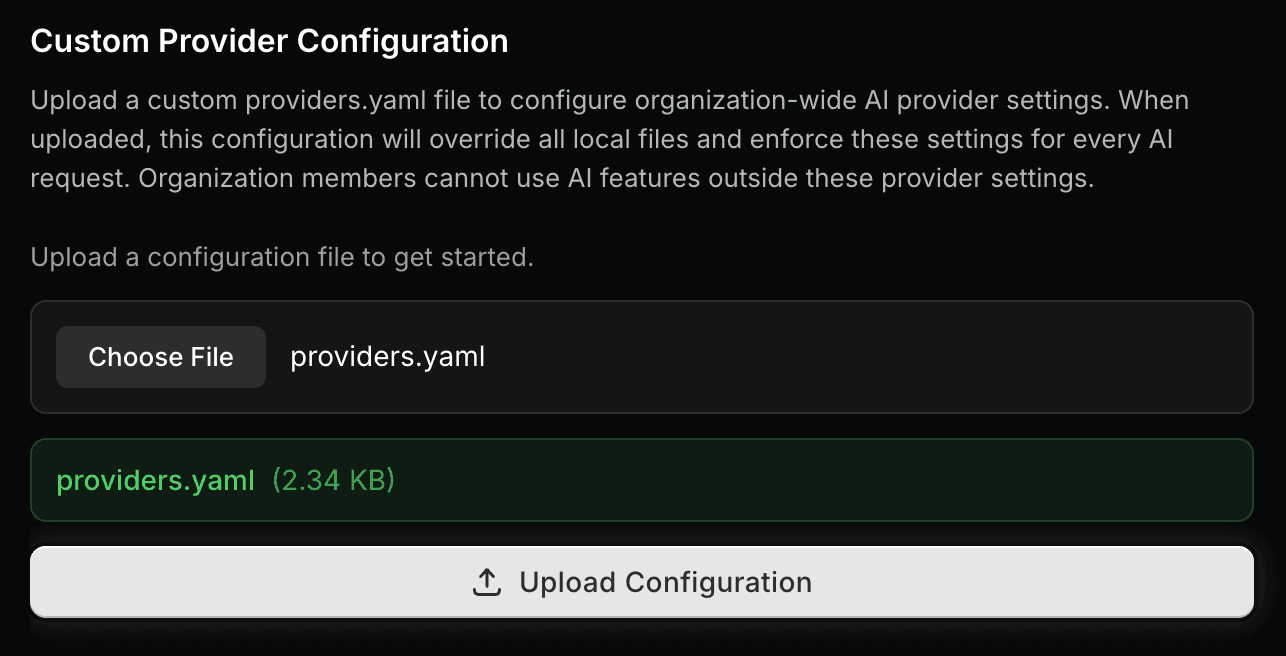
- Click Upload Configuration below the banner showing your selected file name and size
- A message reading "Provider configuration uploaded successfully" will appear, confirming the upload
Manage the Configuration from CI
Instead of uploading the file in Account Settings, you can keep providers.yaml in a repository and deploy it from CI with the Raycast API. Pull requests can validate the file before it's merged, and every change goes through your usual review.
Create an API Key
CI authenticates with an organization API key that can only read and replace your organization's custom provider configuration. It can't call any other Raycast API.
- In Raycast Account Settings, navigate to Organization → AI Control Center
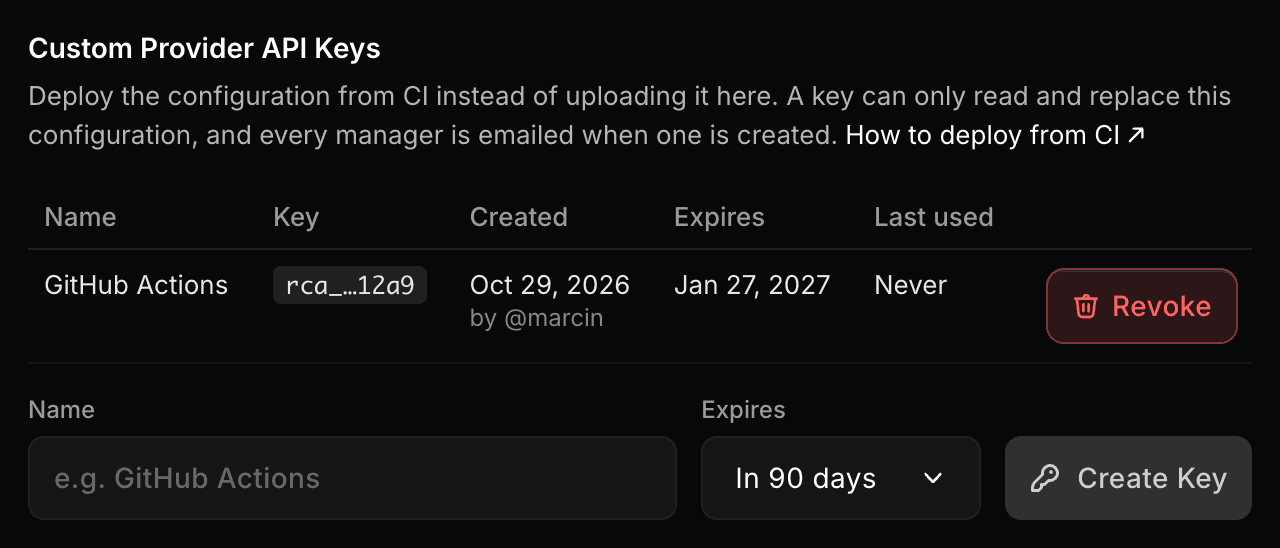
- Under Custom Provider API Keys, enter a name for the key, such as the CI provider that will use it
- Choose when the key expires: in 90 days, in 1 year, or never
- Click Create Key
- Copy the key and store it as a secret in your CI provider, such as
RAYCAST_PROVIDER_CONFIG_TOKENin GitHub Actions. This is the only time the key is shown.
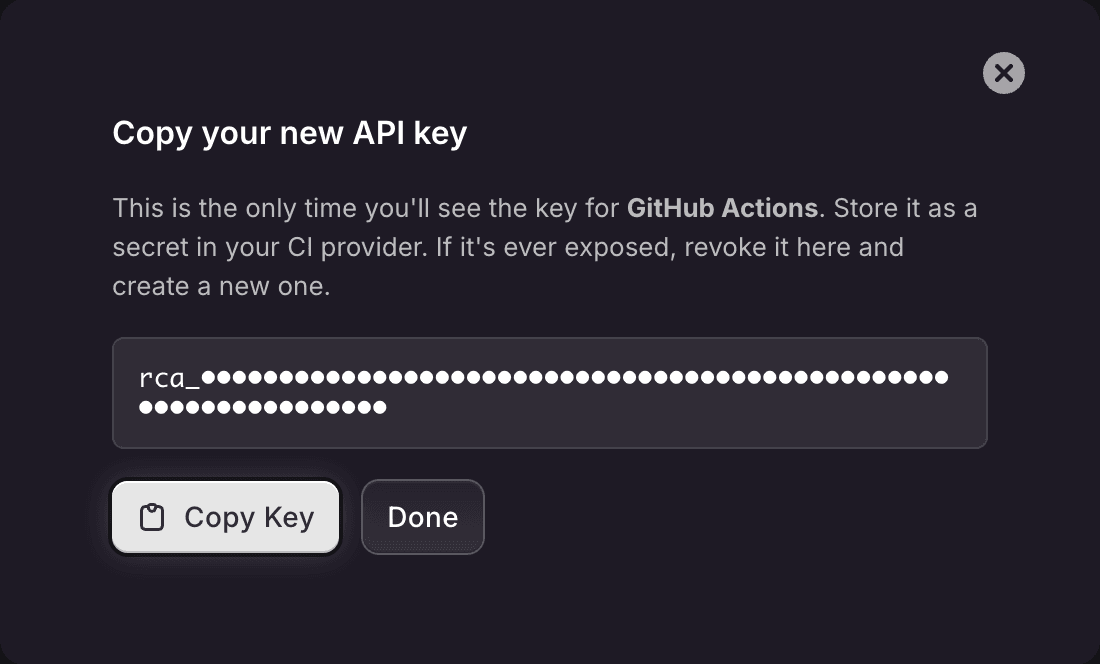
Only Managers can create, see, and revoke API keys, and every Manager gets an email when a key is created. The list shows who created each key, when it expires, and when it was last used, so you can spot keys that are no longer needed.
To rotate a key, create a new one, update the secret in your CI provider, then click Revoke next to the old key. A revoked or expired key stops working immediately. An organization can have up to 10 active API keys.
Use an API key for CI. A Manager's own Raycast CLI token, from ray login, also works, but it belongs to that person and stops working if they leave or stop being a Manager.
Validate and Deploy
Send the file as the raw request body. Replace <handle> with your organization's handle, as it appears in your organization's settings URL. Use www.raycast.com exactly: raycast.com without www answers with a redirect, which curl doesn't follow, so the file wouldn't be uploaded.
curl -X PUT "https://www.raycast.com/api/v1/organizations/<handle>/provider_config" \
  -H "Authorization: Bearer $RAYCAST_PROVIDER_CONFIG_TOKEN" \
  -H "Content-Type: application/yaml" \
--data-binary @providers.yaml- The file is validated the same way Raycast loads it. An invalid file is rejected with status
422, and each error names the field to fix, such asproviders[0].base_url. - Entries that Raycast would skip, like a model without an
id, don't block the upload. They're returned aswarnings. - Add
?dry_run=trueto only validate the file without replacing the live configuration. Use it to check pull requests. In a dry run,changedtells you whether deploying the file would change the live configuration, andversionanduploaded_atstill describe the live one. - Uploading the same file again changes nothing, and the response says
"changed": false. You can deploy on every merge without making every member download the configuration again. - Members get the new configuration the next time Raycast refreshes their account.
A successful response looks like this:
{
  "version": "1793178764",
  "uploaded_at": "2026-10-28T09:12:44.000Z",
  "checksum": "9f2c…",
  "changed": true,
  "dry_run": false,
  "warnings": []
}
checksum is the SHA-256 of the uploaded file, so you can compare it with shasum -a 256 providers.yaml.
To read the live configuration, send a GET to the same URL. It returns the version, checksum, uploaded_at, and the file's content.
Keep Provider Keys Out of the Repository
The api_keys in providers.yaml are sent to every member's Raycast, so the uploaded file has to contain the real keys. Don't commit them. Commit placeholders instead, and fill them in from your CI secrets before uploading:
providers:
  - id: openai
    name: OpenAI
    base_url: https://api.openai.com/v1
    api_keys:
      openai: ${OPENAI_API_KEY}
    models:
      - id: gpt-4o
        name: GPT-4o
        context: 200000
Example: GitHub Actions
This workflow validates providers.yaml on every pull request and deploys it when the change is merged to main:
name: Raycast custom providers

on:
  pull_request:
    paths: [raycast/providers.yaml]
  push:
    branches: [main]
    paths: [raycast/providers.yaml]

jobs:
  provider-config:
    runs-on: ubuntu-latest
    steps:
      - uses: actions/checkout@v4

      - name: Fill in API keys
        env:
          OPENAI_API_KEY: ${{ secrets.OPENAI_API_KEY }}
        run: envsubst '$OPENAI_API_KEY' < raycast/providers.yaml > "$RUNNER_TEMP/providers.yaml"

      - name: Validate on pull requests, deploy on main
        env:
          RAYCAST_PROVIDER_CONFIG_TOKEN: ${{ secrets.RAYCAST_PROVIDER_CONFIG_TOKEN }}
          DRY_RUN: ${{ github.event_name == 'pull_request' }}
        run: |
          curl --fail-with-body -sS -X PUT \
            "https://www.raycast.com/api/v1/organizations/<handle>/provider_config?dry_run=$DRY_RUN" \
            -H "Authorization: Bearer $RAYCAST_PROVIDER_CONFIG_TOKEN" \
            -H "Content-Type: application/yaml" \
            --data-binary @"$RUNNER_TEMP/providers.yaml"
List every key placeholder in the envsubst call and in env. --fail-with-body makes the job fail on a validation error and print what to fix. Warnings don't fail the job, so check the job's output for them.
Responses
| Status | Meaning |
|---|---|
200 | The file is valid. Unless it was a dry run, it's now the live configuration. |
401 | The key is missing, invalid, expired, or revoked, or it belongs to another organization. |
403 | Custom Provider Configuration isn't enabled for your organization, or the key can't manage it. |
404 | No configuration has been uploaded yet (GET only). |
422 | The file is invalid. The response lists each error and the field it refers to. |
Raycast records every change, whether it was uploaded in Account Settings or from CI, along with the member or API key that made it.
Storage and Security
- Stored privately and encrypted at rest and in transit
- Never publicly accessible, only reachable through authenticated Raycast APIs
- Only Managers can upload, replace, or remove it
- Validated and size-limited on upload
- API keys are stored hashed and shown only once, when they're created