

AI Provider Allow-List
Support for Enterprise features in Raycast for Windows has not yet been added. Contact us if you require these features in your organization.
Restrict which AI providers your organization's members can interact with. When the Allow-List setting is enabled for your organization, you can select which providers are available.
Available providers: Anthropic, Baseten, Google, Groq, Mistral, OpenAI, Perplexity, Raycast, xAI
How AI Provider Allow-List works:
- No providers selected: All built-in AI providers are disabled. Members can only use AI features through Custom Providers or Local Models.
- Providers selected: Only the selected built-in AI providers are available, alongside any Custom Providers or Local Models.
When the Allow-List is disabled for your organization, all built-in AI providers are available to members.
Configure AI Provider Allow-List
- In Raycast Account Settings, navigate to Organization → AI Control Center
- Under AI Provider Allow-List, check the providers you want to allow and uncheck the ones you want to block
- A message reading "Settings updated successfully" will appear, confirming the change
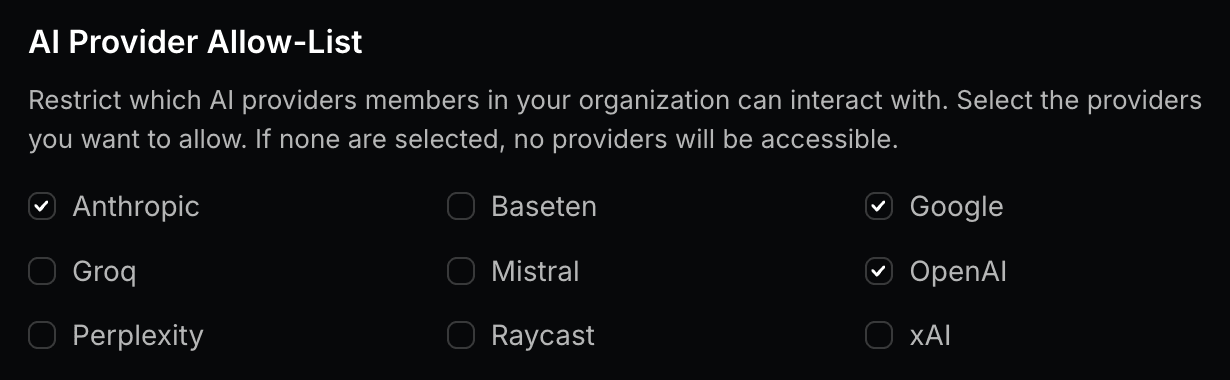
When an AI provider is not allowed, its AI models are hidden in the Raycast client, and members will not be able to select them.