

Domain Capture
Support for Enterprise features in Raycast for Windows has not yet been added. Contact us if you require these features in your organization.
Domain Capture requires SAML SSO to be configured first. Once enabled, any user who logs in to Raycast with your organization's email domain is automatically directed to your identity provider (IdP) for authentication.
Domain Capture is configured by the Raycast team upon request. To enable it, please contact enterprise@raycast.com.
How Domain Capture Works
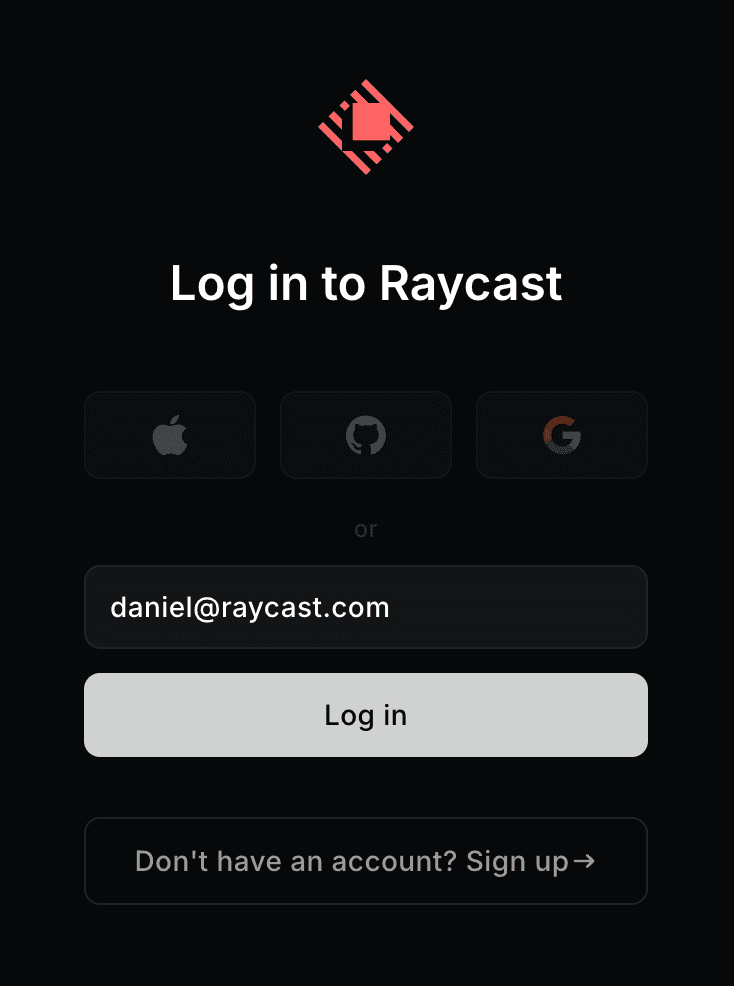
When a user enters their company email address on the Raycast log in page, Domain Capture automatically recognizes the domain. Instead of the usual password or send magic link options, only a Log in button is presented to the user.
Clicking the button redirects the user to your organization's identity provider (IdP) for authentication. This ensures all authentication happens through your company's security infrastructure.
Authentication Flow
- User enters their company email (e.g.,
user@company.com) - Raycast recognizes the domain and shows only the Log in button
- Clicking Log in redirects to your IdP
- After successful authentication, the user is either:
- Automatically added to your Raycast organization (if new member)
- Signed in (if existing member)
- User is redirected back to Raycast